
Hostimor | VMware ESXi Management
Manage VPS / VDS services on several independent ESXi servers with a single module and management page.
Version and sales status
A 3, 6 or 12-month licence for a single WISECP domain: 2,990 TL / 5,490 TL / 9,900 TL. Updates are included for the licence term. You buy the licence on hostimor.com. 1.8.0 is in WISECP review as a new Marketplace product; once approved, the installation package is downloaded from the WISECP Marketplace and the link appears here.
1.8.0 · in WISECP review: a licence structure shared by all Hostimor products (Hostimor Licence Centre); a new licence card on the Licence and Updates tab (status, licence expiry, support, package integrity, “Re-check”); module folder coremio/modules/Servers/HostimorVMwareESXi. The update key and the module’s own update channel are dropped; updates come only from the WISECP Marketplace. Submitted for review as a new Marketplace product on 24 October 2026.
Previous version 1.7.0: the server module and the management page in a single folder. Verified on WISECP 5.0-beta.3 and PHP 8.2. The minimum WISECP version is 5.0-beta.2; PHP 8.1 or later is required.
One module, one management page
| Part | Role |
|---|---|
Server module (coremio/modules/Servers/VMwareESXi) | Order provisioning, plan resources, IP assignment, client area and service lifecycle. |
| Management page (Products → Hosting & Servers → Hostimor | VMware ESXi Management) | All ESXi servers, templates, IP pools, migration, actions awaiting approval, settings and the licence/update screen. |
Works with standalone ESXi servers through the vSphere Web Services API. Neither vCenter nor an SSH setup on ESXi is required.
From installation to daily use
- Install the package and verify the licence.
- Prepare the ESXi records, settings profiles, IP pools and templates.
- In the VPS / VDS product, select the VMwareESXi module and the plan resources.
- Verify provisioning first on a new test service that belongs only to you.
- Use the client area and resource / migration operations, checking the service number each time.
1.8.0 (in WISECP review)
- Shared licence structure: a 3, 6 or 12-month licence, verified by a signed response for the domain of your WISECP licence; the module’s cron task and the licence card check it.
- Licence card: status, licensed domain, licence expiry, support period, last check, module and WISECP version, package integrity and Re-check.
- New folder:
coremio/modules/Servers/HostimorVMwareESXi(classHostimorVMwareESXi). - Updates: the update key and the Hostimor update channel have been removed; when WISECP finds a new version, the licence card opens WISECP’s update wizard.
- When the licence expires: new operations stop and the management screens close; WISECP’s suspend, unsuspend and cancel actions keep working, and running servers are left untouched.
- Automated tests: 590 integration and 98 regression checks passed.
Upgrading from the previous version: because the folder name changes, existing server and product records have to be linked to the new module. Open a support ticket before updating; the Hostimor team carries out the migration.
1.7.0 release notes (22 October 2026)
- Single module: the management screen became the module’s own page; the product installs as a single folder (
coremio/modules/Servers/VMwareESXi) and a single package, and every update covers the whole product. Page: Products → Hosting & Servers → Hostimor | VMware ESXi Management. - Settings: the capacity warning threshold and the update key are under the Settings button of the management page.
- Privileges: the page opens with WISECP’s product management privilege; operations that touch customer virtual machines also require service privileges. All requests are CSRF-protected.
- Simplification: the Capacity calculator tab has been removed; the memory and datastore warnings on the Overview tab remain.
- Display name: the module appears in the panel as Hostimor | VMware ESXi Management.
- Automated tests: 590 integration, 98 regression and 95 licence checks passed. The tests do not perform any operations on real customer VMs.
Screens
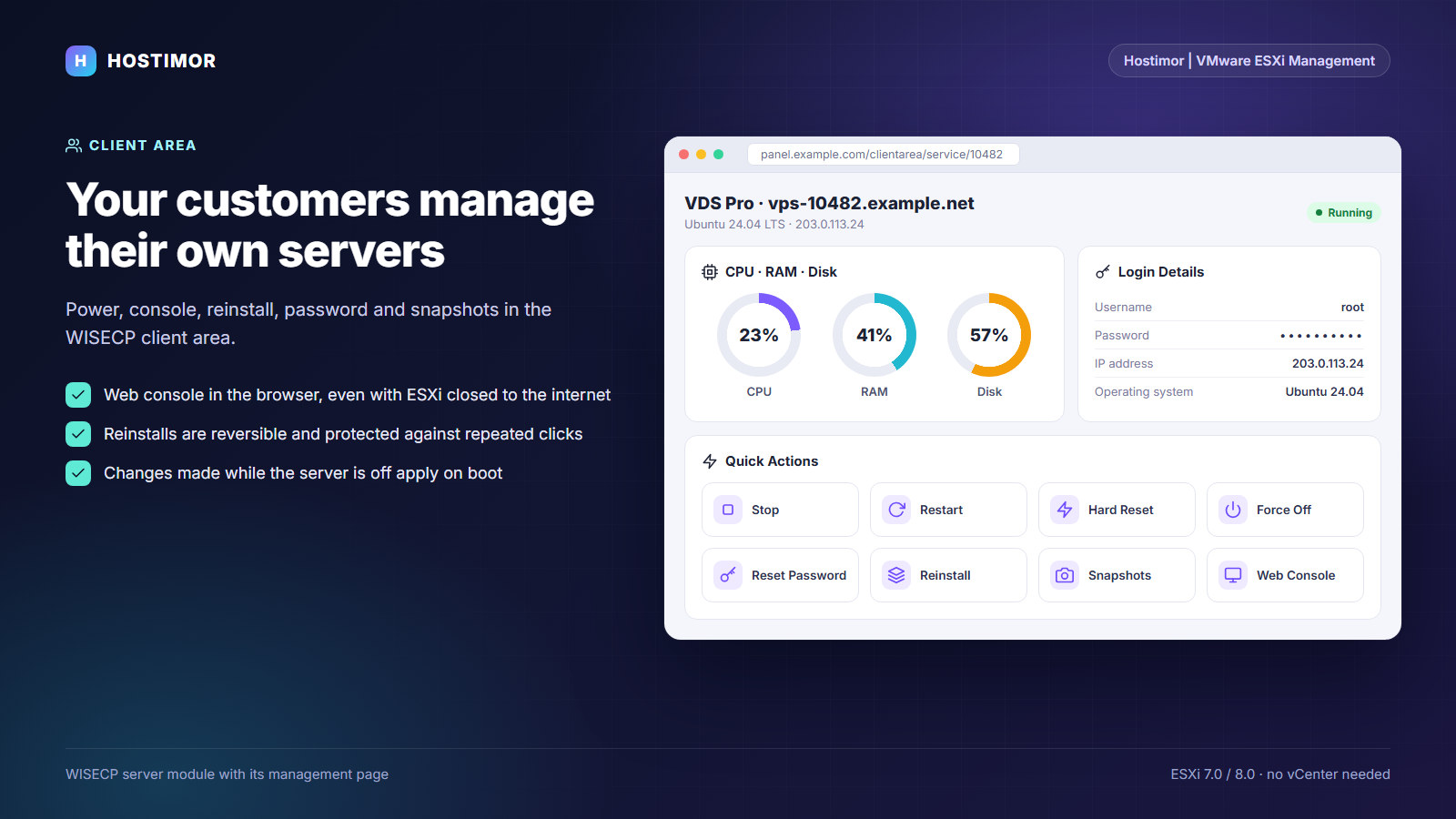
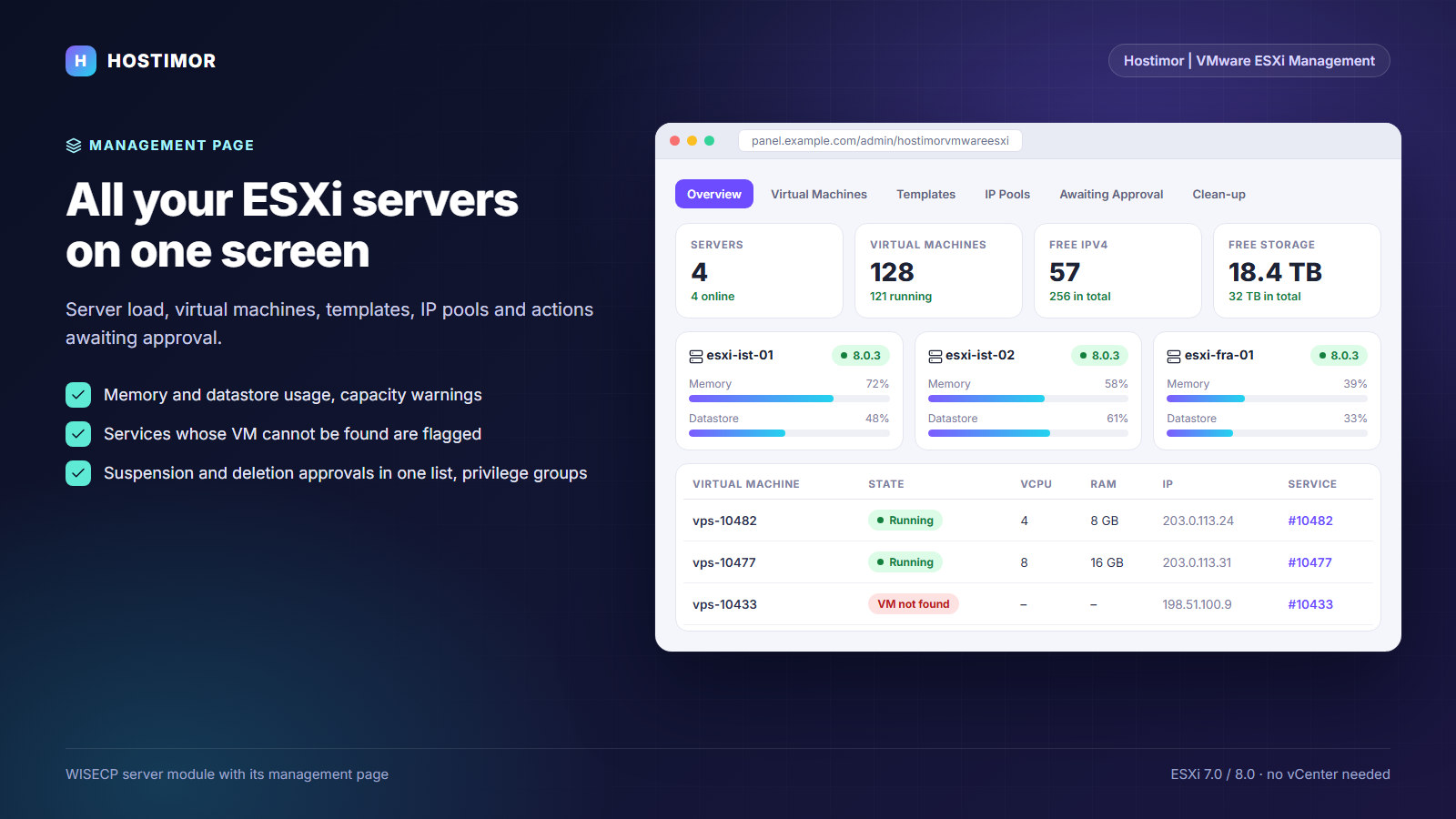
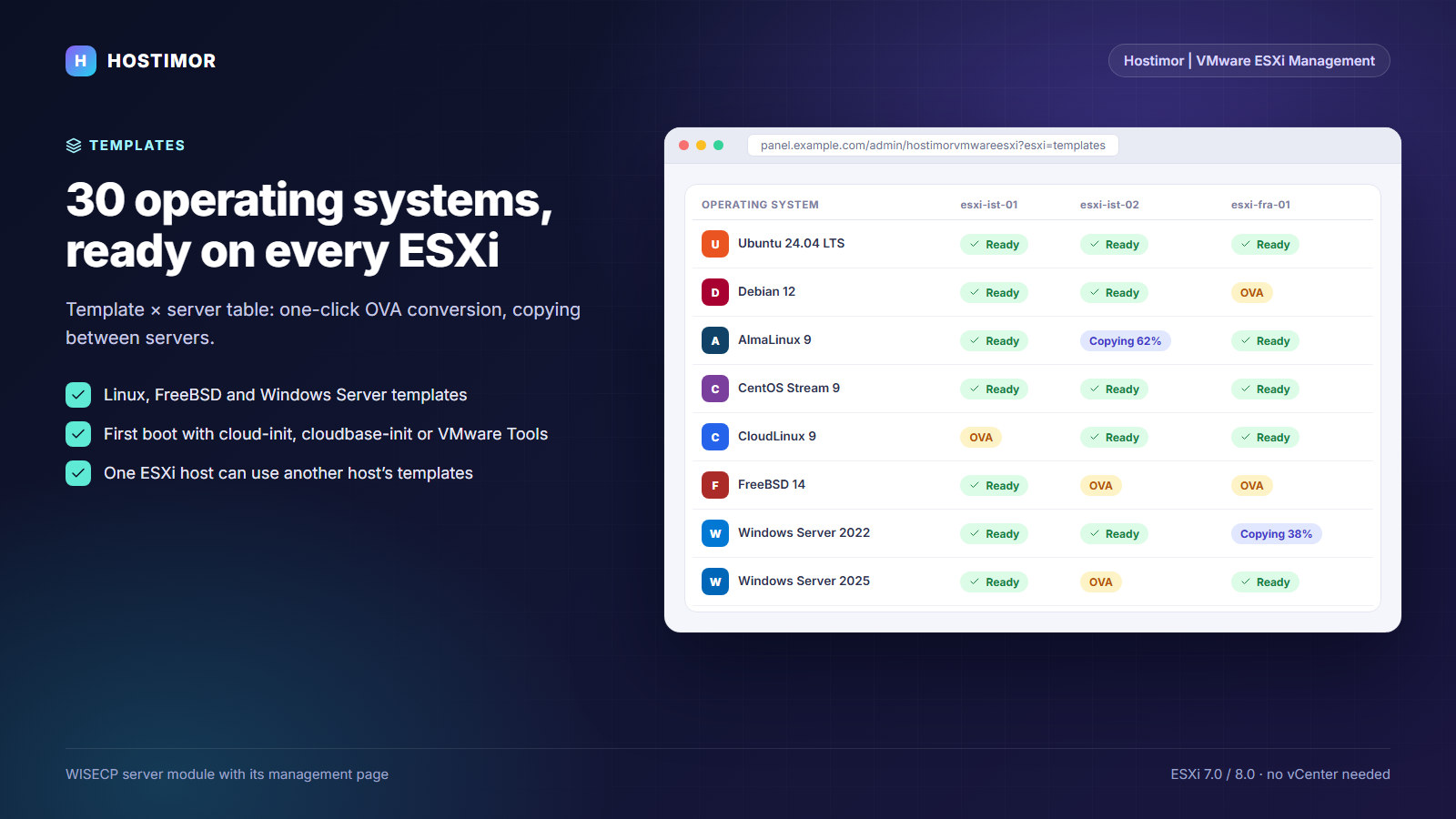
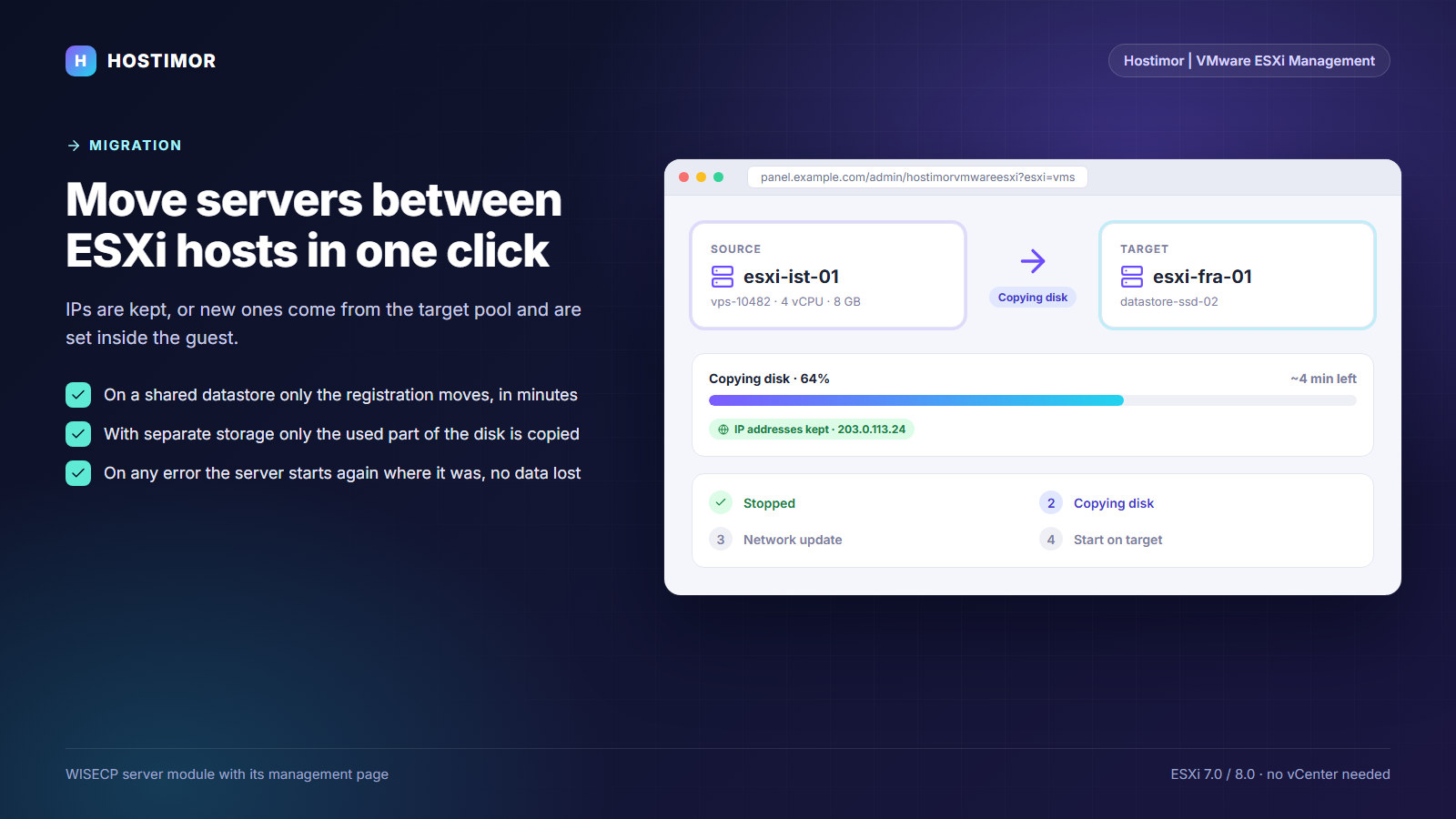
The images are drawn after the 1.8.0 interface with sample data; they contain no real customer or server details.