
Slider and image cards
Present the hosting, server and domain slides, each with its own content.
Slide content
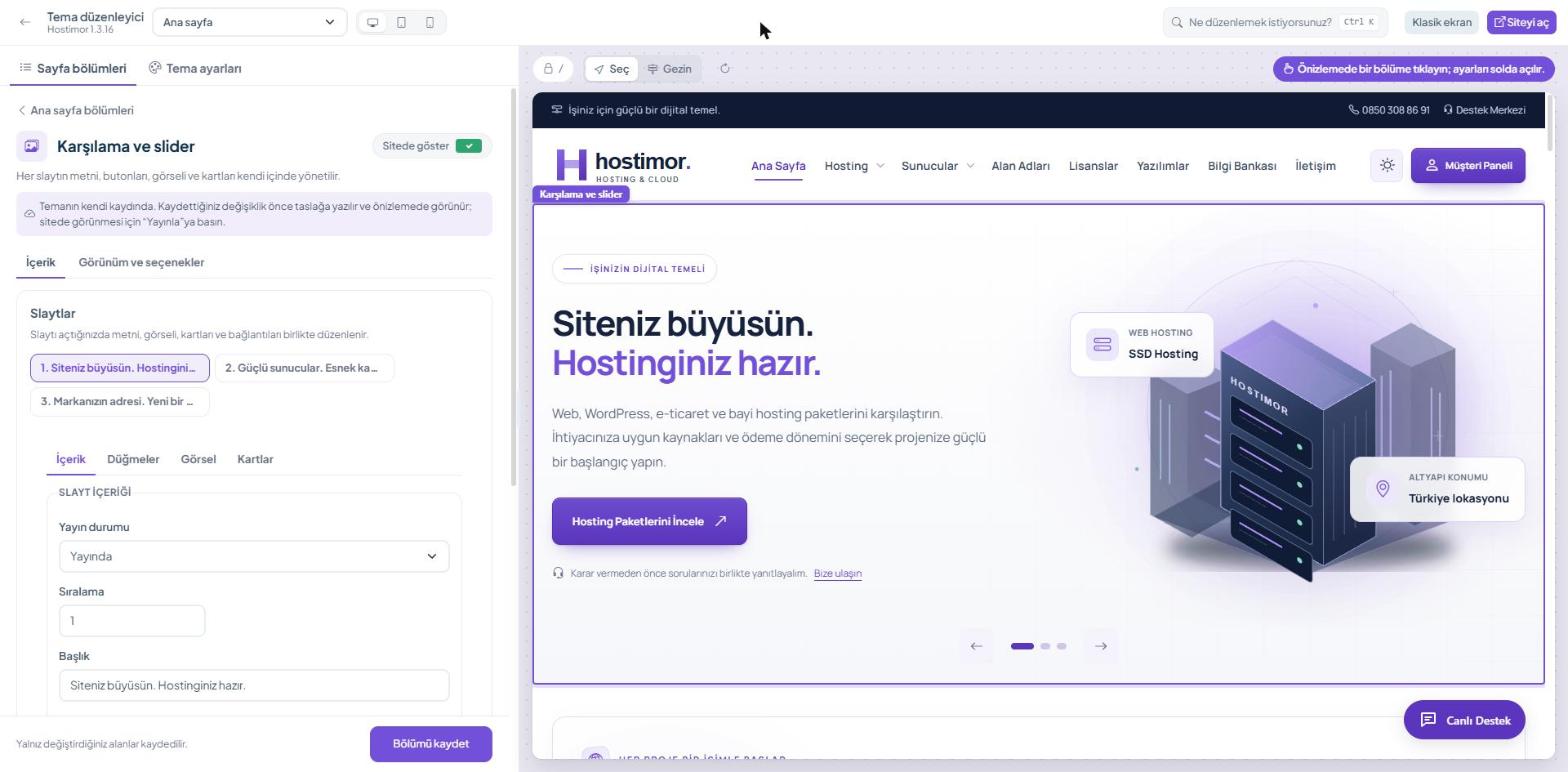
1.3.16: Sayfa bölümleri → Ana sayfa → Karşılama ve slider (Page sections → Home page → Welcome and slider). Each slide is on its own tab; the fields are split into sub-tabs:
| Sub-tab | Content |
|---|---|
| İçerik (Content) | Publication status, order, title, description and top label. |
| Düğmeler (Buttons) | Main button, second button and bottom contact line. |
| Görsel (Image) | Slide image. |
| Kartlar (Cards) | Info cards on the image and links below the image. |
When you save, the change is written to the draft; check it in the preview, then click Yayınla (Publish) in the top bar. The hosting slide should point to the hosting packages, the server slide to the server packages and the domain slide to the domain search.
1.3.14: edit the title, description, image, button text, link and order under Site Management → Sliders.
Display and card sources
1.3.16: single slide or carousel, transition interval, image source, fit and image scale are on the Görünüm ve seçenekler (Appearance and options) tab of the Karşılama ve slider (Welcome and slider) section. 1.3.14: the Tema ayarları → Slider ve ana sayfa kartları group (Theme settings → Slider and home page cards).
“Tamamını göster” (Show the whole image) shows the whole image; “Alanı doldur” (Fill the area) may crop the edges of the image to cover the area.
Mobile tips
Keep titles short, give buttons a clear action name and do not put long text inside the image. After saving, check on a small screen that the image cards and texts do not overlap.